What evidence you should inspect
Run evidence helps answer who requested a task, which company/agent handled it, which tools were attempted, what failed, what required review and what outcome was reported. Use Audit Log, Observability, agent history and workflow run detail according to your role. The separate administrator run timeline and workload view is opt-in and has a bounded time window; it is not an exhaustive audit stream.
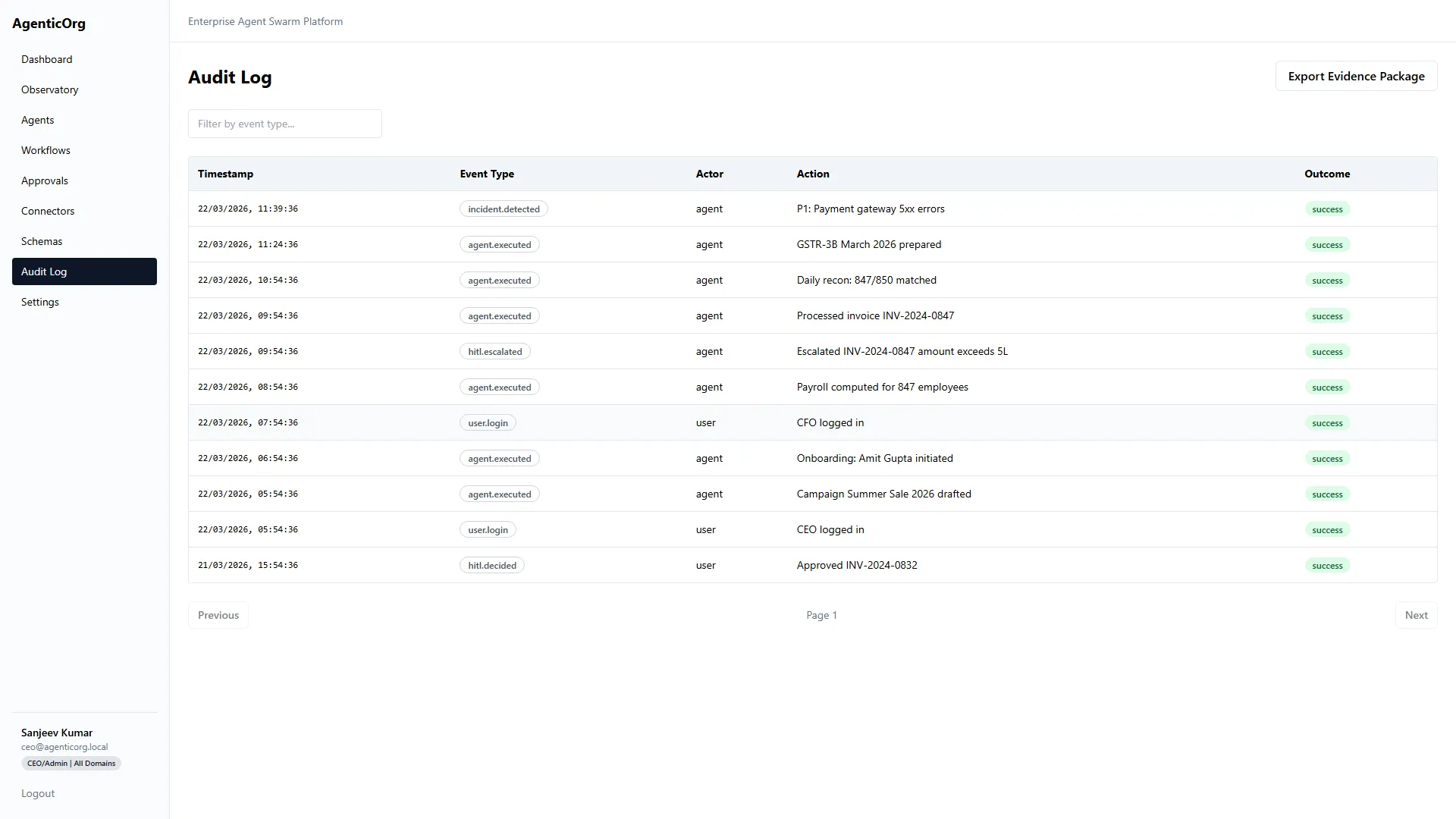
This screenshot illustrates an existing product view. It is not evidence of your tenant's current activity or a measured delivery guarantee.
Investigate a task end to end
- Find the run/case reference and timestamp.
- Confirm the tenant/company context and initiating identity.
- Inspect the agent and prompt/model version where recorded.
- Read tool outcomes and safe failure/refusal reasons.
- Verify citations, provider timestamps and missing evidence.
- Inspect approval or case-decision authority separately.
- Check the system-of-record outcome for any external action.
Do not infer that an absent event means no action occurred. Confirm the view's scope and whether the event writer for that path is implemented.
Understand screen limits
Dashboard Recent Activity and Observatory read audit history. Observatory polls the newest 20 rows every five seconds and labels that scope. This is not an exhaustive live stream or a full-day activity total. An internal resilient feed exists in the repository, but no production writer currently publishes into that feed; do not represent it as universal real-time monitoring.
For governed cases, inspect transitions, memo citations, policy inputs/version, analyst reviews, decision-grant evidence and signed handoff delivery history. The case record can retain stronger lineage than a general activity summary.
Establish operational measures
Choose metrics tied to your task: successful and refused runs, correct answers, missing-source rate, approval age, connector error/latency, OCR review rate, workflow retries and actual downstream outcomes. Record the time window, sample size and workload. Do not turn a sample result into a platform-wide accuracy claim.
Incident workflow
Stop the affected external-action schedule or agent path through supported controls. Preserve safe references, isolate the provider/configuration issue, and ask the accountable operator to investigate. Never paste secrets or full customer records into ordinary issue reports.
Check Service Status and your own deployment health separately. A public service status page cannot certify the health of every tenant connector or self-hosted bank environment.
Next: Run observability, Guardrails, Troubleshooting, Security and data, Evaluation.